
Submitting the change of store request is the whole job. The licence moves to the new store straight away, there is no approval queue to wait in.
Before You Begin
Please ensure that:- You are signed in with the email used to purchase the license.
- You know the destination store’s Shopify URL.
- The new store URL uses the default Shopify domain ending in .myshopify.com.
Step 1: Open the Licenses Page
Log in to the Elixir dashboard using the email associated with your purchase. Navigate to the Licenses page.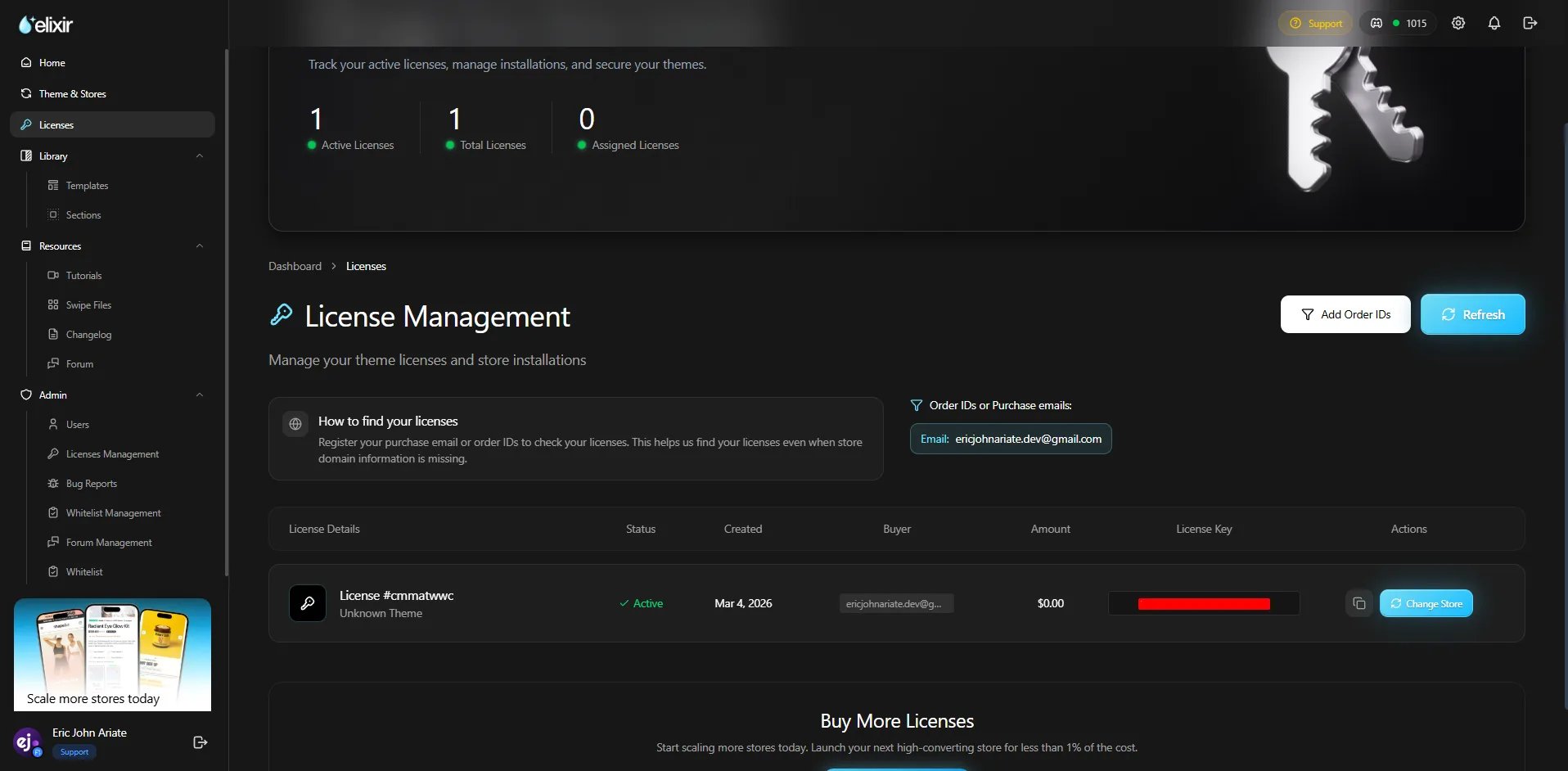
Step 2: Select the License
Locate the license you would like to transfer. Click the Actions button and select Change Store.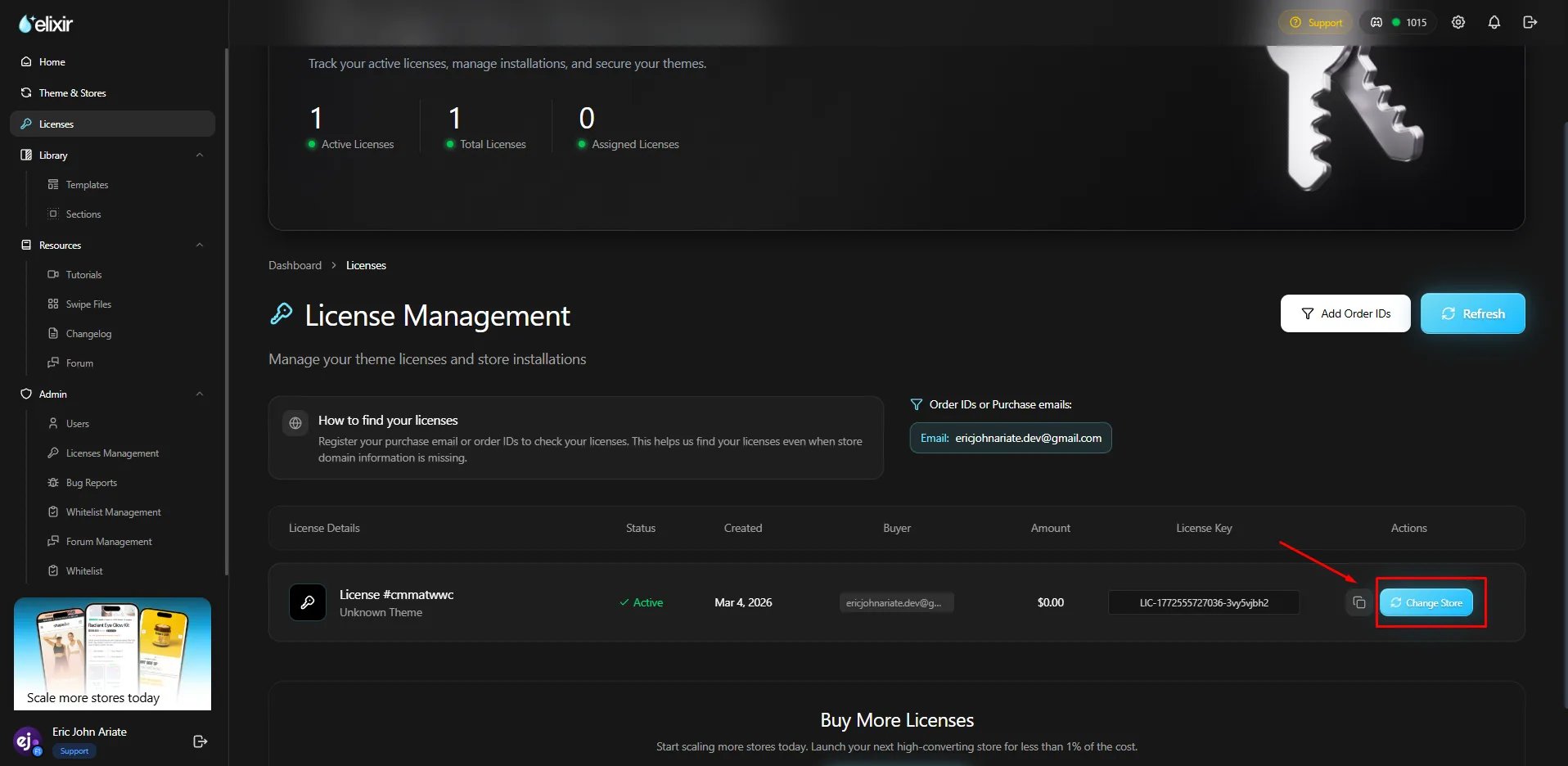
Step 3: Submit the Transfer Request
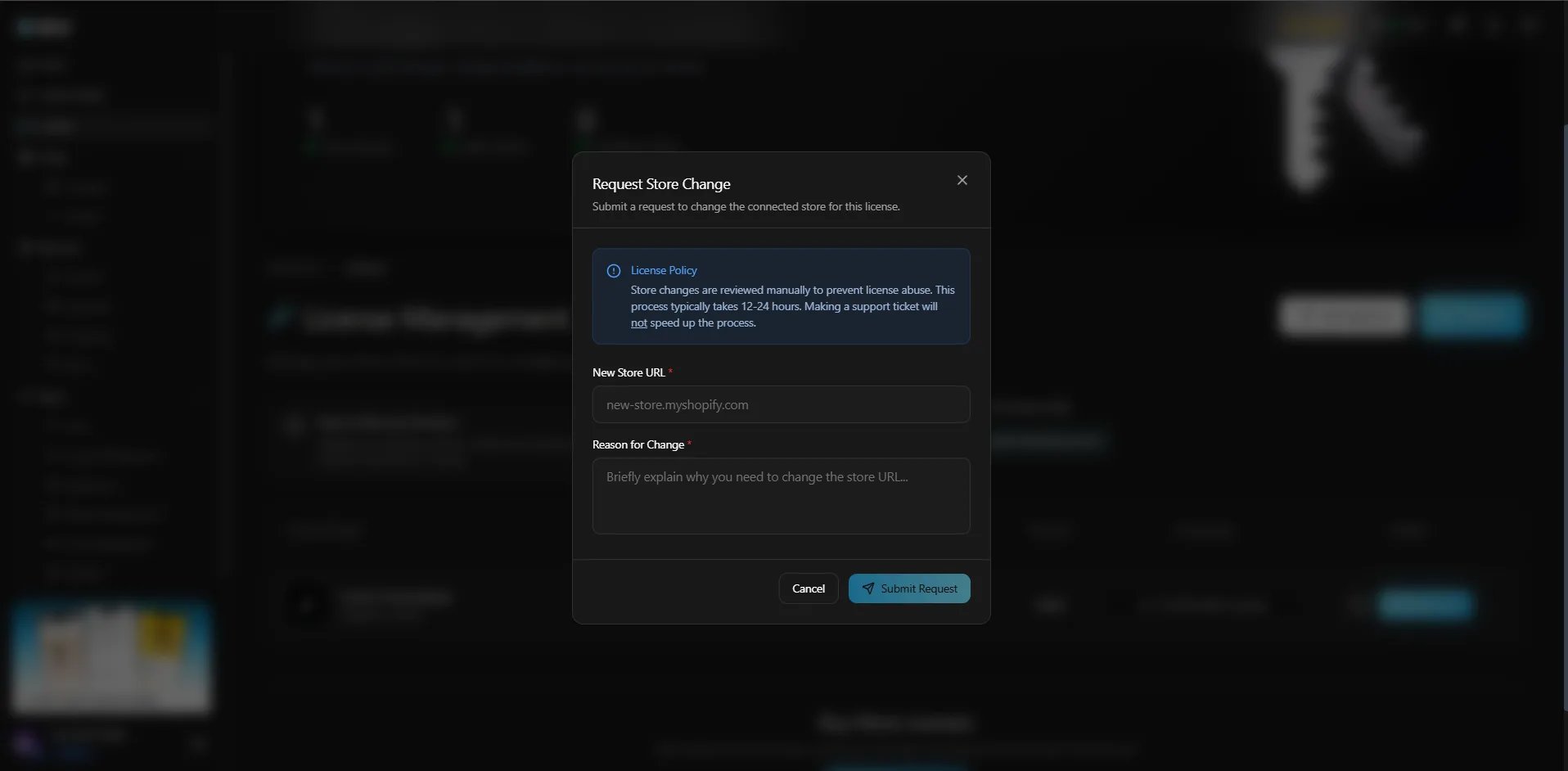
Complete the required fields:New Store URL
Enter the destination store’s default Shopify URL. Example: your-new-store.myshopify.comReason for Change
Provide a brief explanation for the transfer request. Common examples:- Moving from a development store to a live store
- Rebranding to a new Shopify store
- Migrating to a replacement store
Step 4: Activate on the New Store
The licence is reassigned as soon as you submit the request. Go to the new store and enter your key in Theme settings → License, exactly as you did the first time. See Activate your license. If the new store still shows License Required a few minutes later:1
Hard refresh the storefront
The theme caches the last licence check in your browser. Reload with cache bypassed, or open the
store in a private window.
2
Confirm the licence now lists the new store
Back on the Licenses page, check the entry shows the new
.myshopify.com URL.3
Open a ticket
If it still fails, raise a ticket with your licence key and the new store’s
.myshopify.com
URL.Frequently Asked Questions
Can I transfer a license multiple times?
Can I transfer a license multiple times?
Yes. Request a change of store whenever you move to a new store. Each transfer reassigns the
licence to whichever store you name, so the same licence can follow you from one store to the
next.
Can I use my license on both stores at the same time?
Can I use my license on both stores at the same time?
No. A license can only be assigned to one Shopify store at a time.
The transfer went through but the new store still says License Required
The transfer went through but the new store still says License Required
Hard refresh the storefront first, since the theme caches the last successful check in your
browser. If that does not clear it, confirm the key in Theme settings → License matches the
one on the Licenses page, with no trailing space from the copy and paste.
I cannot see my licence at all
I cannot see my licence at all
You are almost certainly signed in with a different email. Licences live under the exact address
used at checkout. Your key was also emailed to that address when you bought the theme, so search
your inbox and spam folder for it.