> ## Documentation Index
> Fetch the complete documentation index at: https://docs.ecomelixir.com/llms.txt
> Use this file to discover all available pages before exploring further.
# Transfer a License to Another Store
> Move your Elixir license from one Shopify store to another from the dashboard
Need to move your Elixir license to a different Shopify store? You can request a license transfer directly from the Elixir dashboard.
> License transfer requests are typically reviewed within 12–24 hours.
## Before You Begin
Please ensure that:
* You have access to the email used to purchase the license.
* You know the destination store's Shopify URL.
* The new store URL uses the default Shopify domain ending in **.myshopify.com**.
Example: **your-new-store.myshopify.com**
***
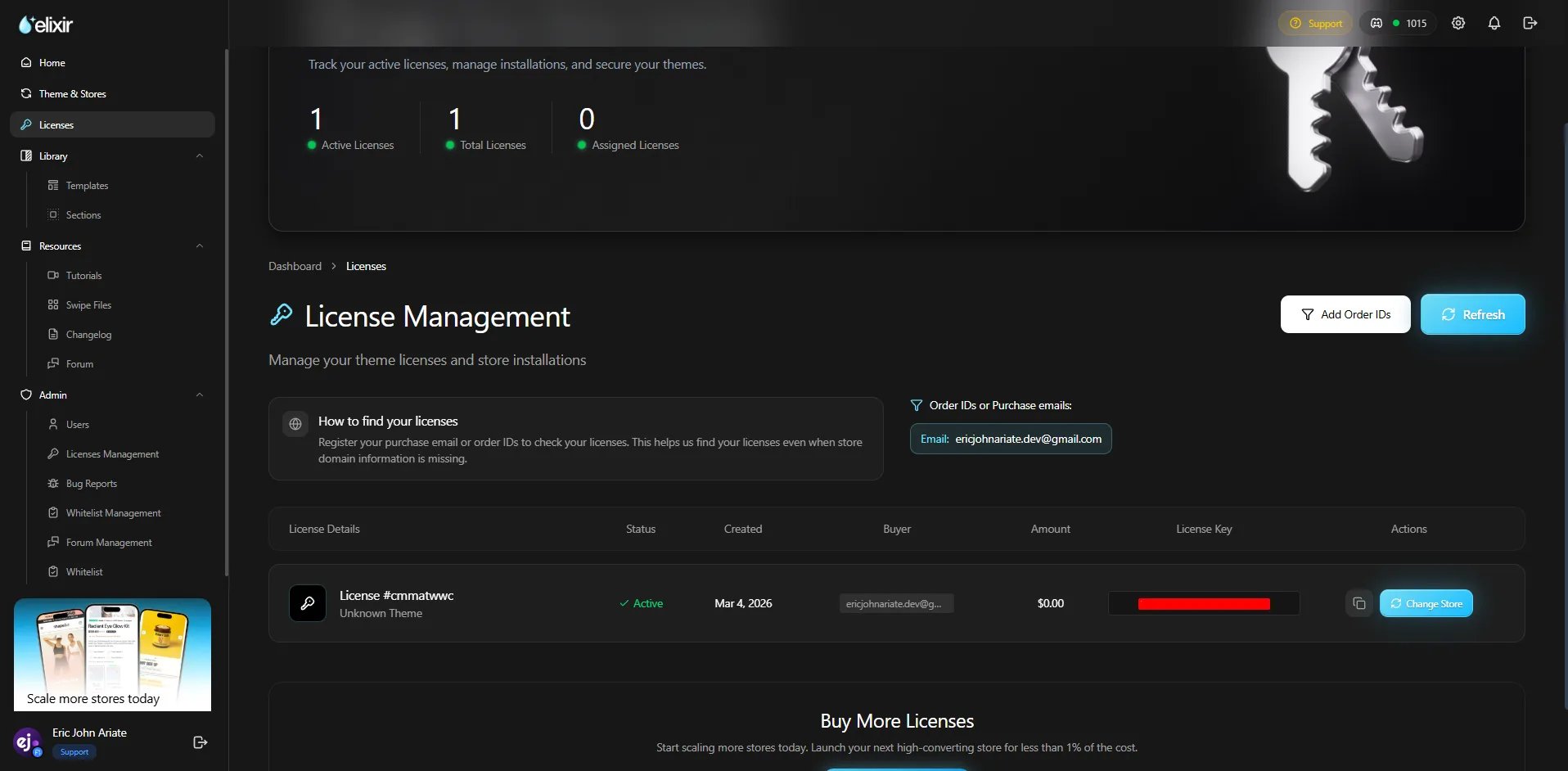
## Step 1: Open the Licenses Page
Log in to the [Elixir dashboard](https://app.ecomelixir.com/dashboard) using the email associated with your purchase.
Navigate to the [**Licenses** page](https://app.ecomelixir.com/licenses).
 ***
## Step 2: Select the License
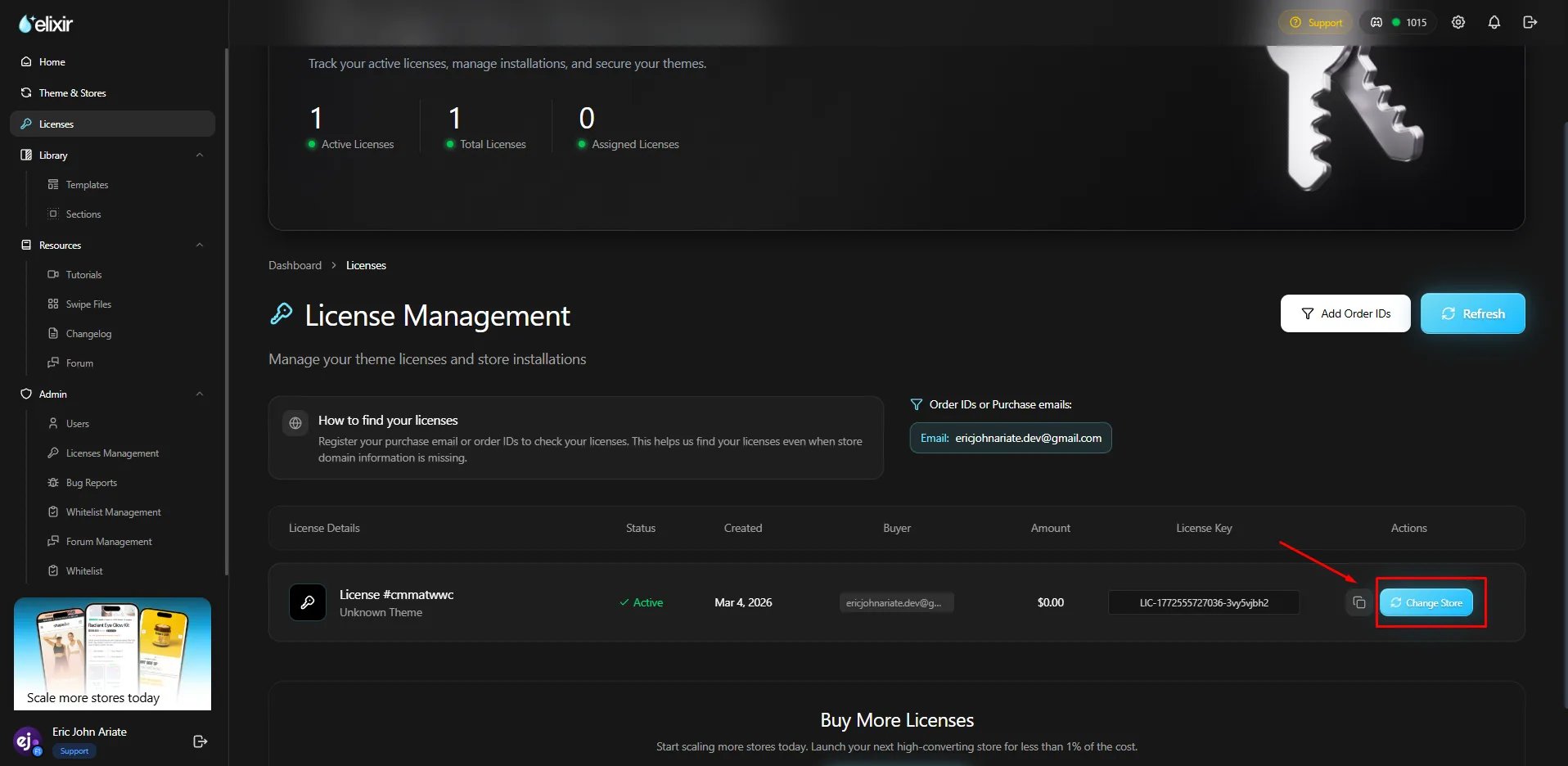
Locate the license you would like to transfer.
Click the **Actions** button and select **Change Store**.
***
## Step 2: Select the License
Locate the license you would like to transfer.
Click the **Actions** button and select **Change Store**.
 ***
## Step 3: Submit the Transfer Request
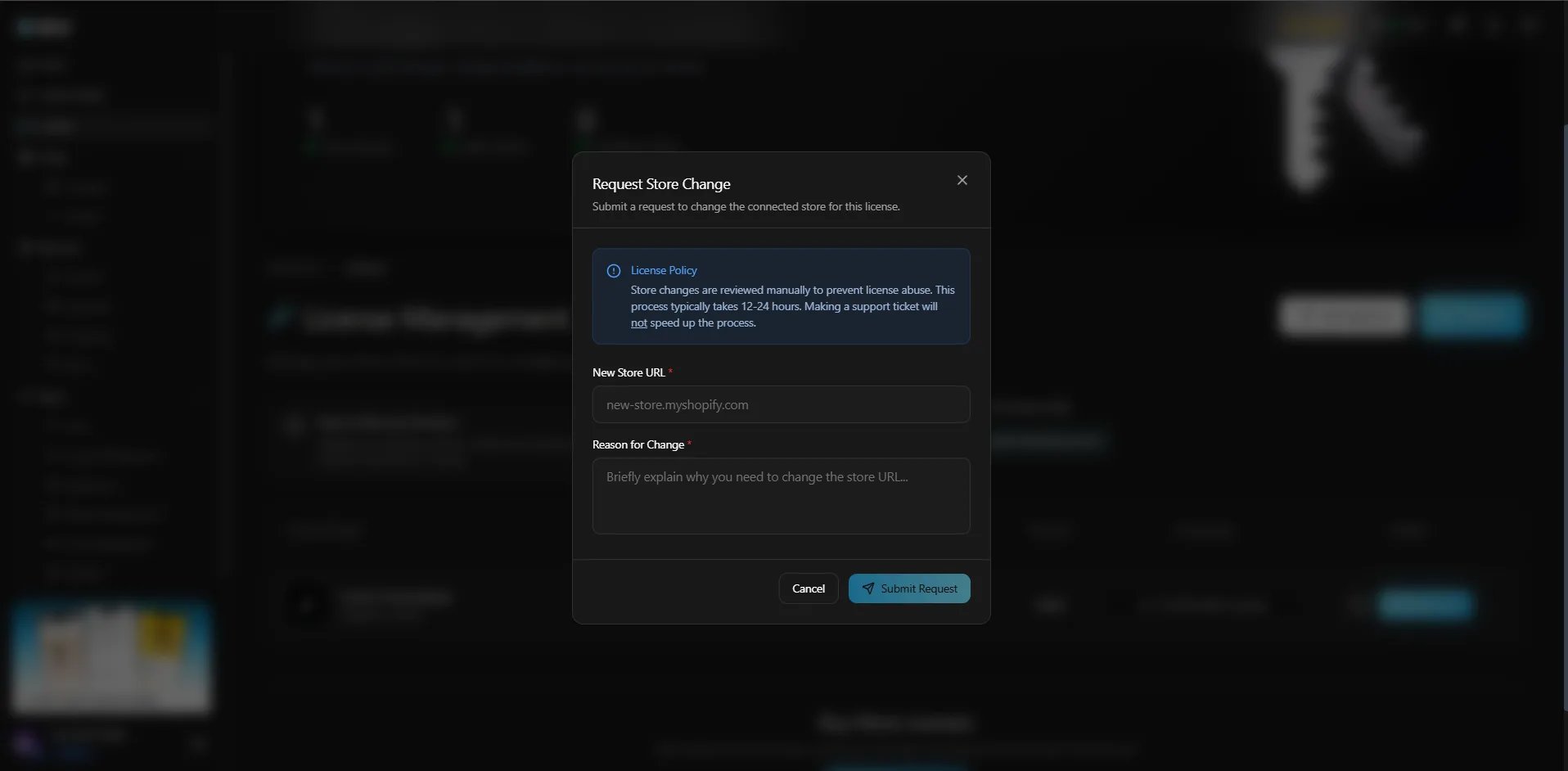
Complete the required fields:
### New Store URL
Enter the destination store's default Shopify URL.
Example: your-new-store.myshopify.com
### Reason for Change
Provide a brief explanation for the transfer request.
Common examples:
* Moving from a development store to a live store
* Rebranding to a new Shopify store
* Migrating to a replacement store
***
## Step 3: Submit the Transfer Request
Complete the required fields:
### New Store URL
Enter the destination store's default Shopify URL.
Example: your-new-store.myshopify.com
### Reason for Change
Provide a brief explanation for the transfer request.
Common examples:
* Moving from a development store to a live store
* Rebranding to a new Shopify store
* Migrating to a replacement store
 ***
## Step 4: Wait for Approval
Once submitted, your transfer request will be reviewed by our team.
Most requests are processed within **12–24 hours**.
***
## Need It Processed Faster?
If your transfer is time-sensitive, please contact support after submitting your request.
When contacting support, include:
* Your order number
* The current store URL
* The destination store URL
This helps us review your request as quickly as possible.
## Frequently Asked Questions
License transfers are reviewed on a case-by-case basis. Frequent transfer requests may require additional verification.
No. A license can only be assigned to one Shopify store at a time.
Common reasons include:
* Invalid store URL
* Missing information
* Ownership verification issues
If your request is declined, our support team will provide additional details.
***
## Step 4: Wait for Approval
Once submitted, your transfer request will be reviewed by our team.
Most requests are processed within **12–24 hours**.
***
## Need It Processed Faster?
If your transfer is time-sensitive, please contact support after submitting your request.
When contacting support, include:
* Your order number
* The current store URL
* The destination store URL
This helps us review your request as quickly as possible.
## Frequently Asked Questions
License transfers are reviewed on a case-by-case basis. Frequent transfer requests may require additional verification.
No. A license can only be assigned to one Shopify store at a time.
Common reasons include:
* Invalid store URL
* Missing information
* Ownership verification issues
If your request is declined, our support team will provide additional details.